 Hawaii Robo Labs
Arduino & ESP32 dashboard
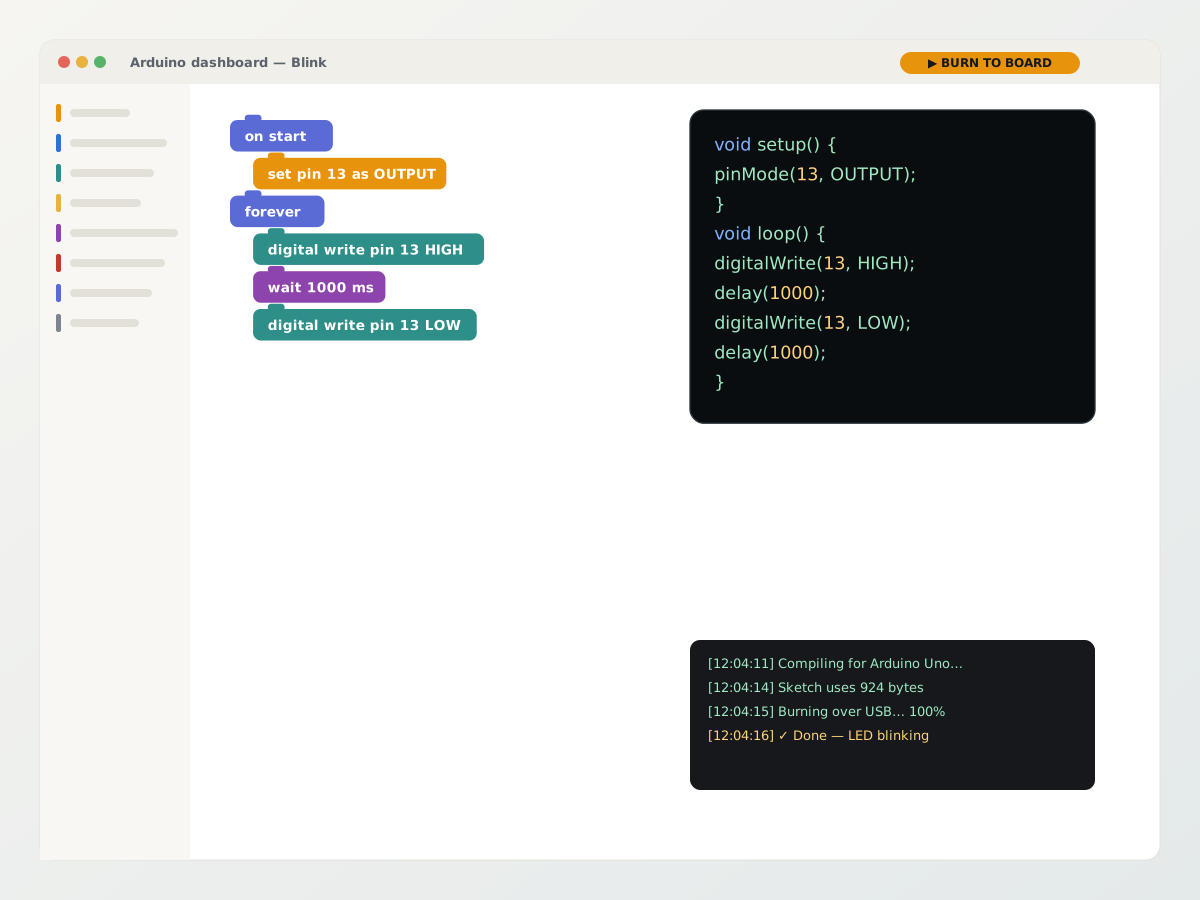
Block coding with the real C++ appearing beside it, compiled on our servers and burned to the board over USB from the browser. The first lesson ends with a blinking LED, not a driver install.
Learn moreRobotics education · Utility robots as a service
Hawaii Robo Labs turns any classroom with a browser into a robotics lab — and any business with a floor to cover into a robot operator. One platform, from a blinking LED to a ROS 2 rover to a robot on subscription.
One login, five workspaces
Students build and run. Teachers assign and measure. Each workspace is a product in its own right — and they share one account, one Knowledge Base and one set of robots.
Block coding with the real C++ appearing beside it, compiled on our servers and burned to the board over USB from the browser. The first lesson ends with a blinking LED, not a driver install.
Learn moreThe same blocks generate rclpy Python and run it on a real rover over a secure tunnel — with a big red EMERGENCY STOP, a diagnostics panel and, for staff, a terminal on the robot.
Learn moreStudents collect examples, train a model in the browser and test it live: image classification, object detection, pose, hand pose, sound, text and numbers. Nothing leaves the classroom until they save.
Learn moreSet tasks and tests with milestones, group students, open any student’s project to help, and export progress reports to Excel or PDF for the parent evening.
Learn moreSeventy-four illustrated articles that pair every showcase project with its wiring, blocks, generated code and what the student should see. A teacher who has never held an Arduino can run the lesson.
Learn moreHow it works
Teachers hand out a registration key; students land in the right class and plan. No installs, no accounts to create by hand.
A toolbox built for the parts in the kit. The generated Arduino C++ or ROS 2 Python updates live beside the blocks.
Arduino and ESP32 are flashed over USB from the browser. ROS 2 programs run on the robot through its own secure tunnel.
Teachers set tasks with milestones and due dates; progress rolls up into reports the school can put in front of parents and governors.
// Generated by Hawaii Robo Labs — Arduino Uno
void setup() {
  pinMode(13, OUTPUT);
}

void loop() {
  digitalWrite(13, HIGH);
  delay(1000);
  digitalWrite(13, LOW);
  delay(1000);
}
Curriculum & learning path
Robotics education should not stop at a blinking LED. The syllabus is arranged by the student’s age and skill level and runs the whole way — electronics, sensors, Arduino and ESP32, Python, ROS 2, computer vision, AI and autonomous robotics — on one account, with the projects and articles for every step.
Electronics, sensors and actuators, and a first program written in blocks.
Arduino and ESP32 projects, automation and IoT, moving from blocks into the Arduino C/C++ they generate.
Python and ROS 2 on real robots, computer vision and models the students train themselves.
A robot that senses, decides and acts — solving a problem the student chose.
Robot platforms
Every platform we support is wired into the dashboard the same way: one installer per robot, one emergency stop, one set of blocks. Start with the Navigator Pro rover; more families are on the way.
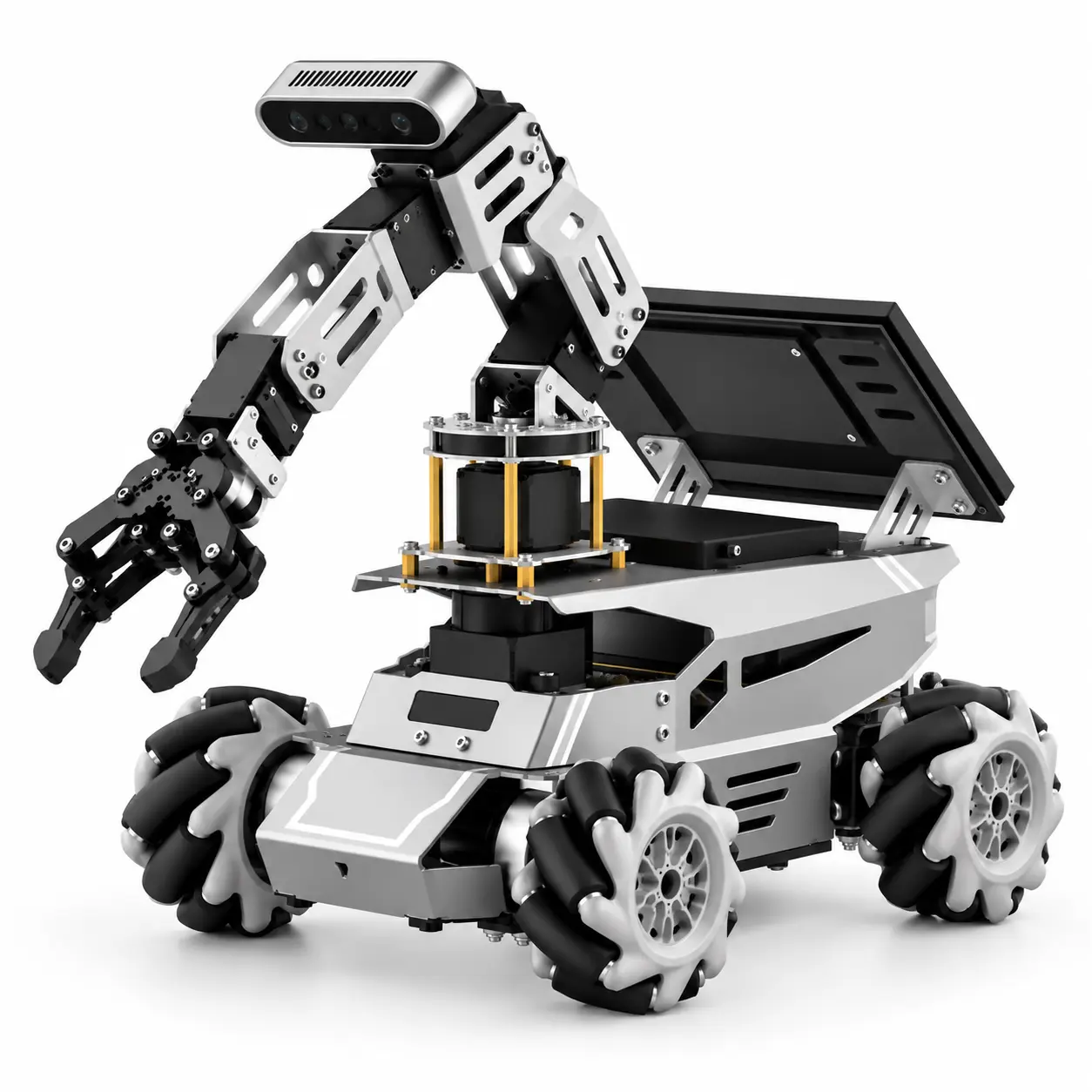
Four mecanum wheels, a 5-axis arm and a depth camera. Drives forward, turns and strafes sideways; publishes odometry, IMU and lidar. Six showcase projects and a full set-up guide included.
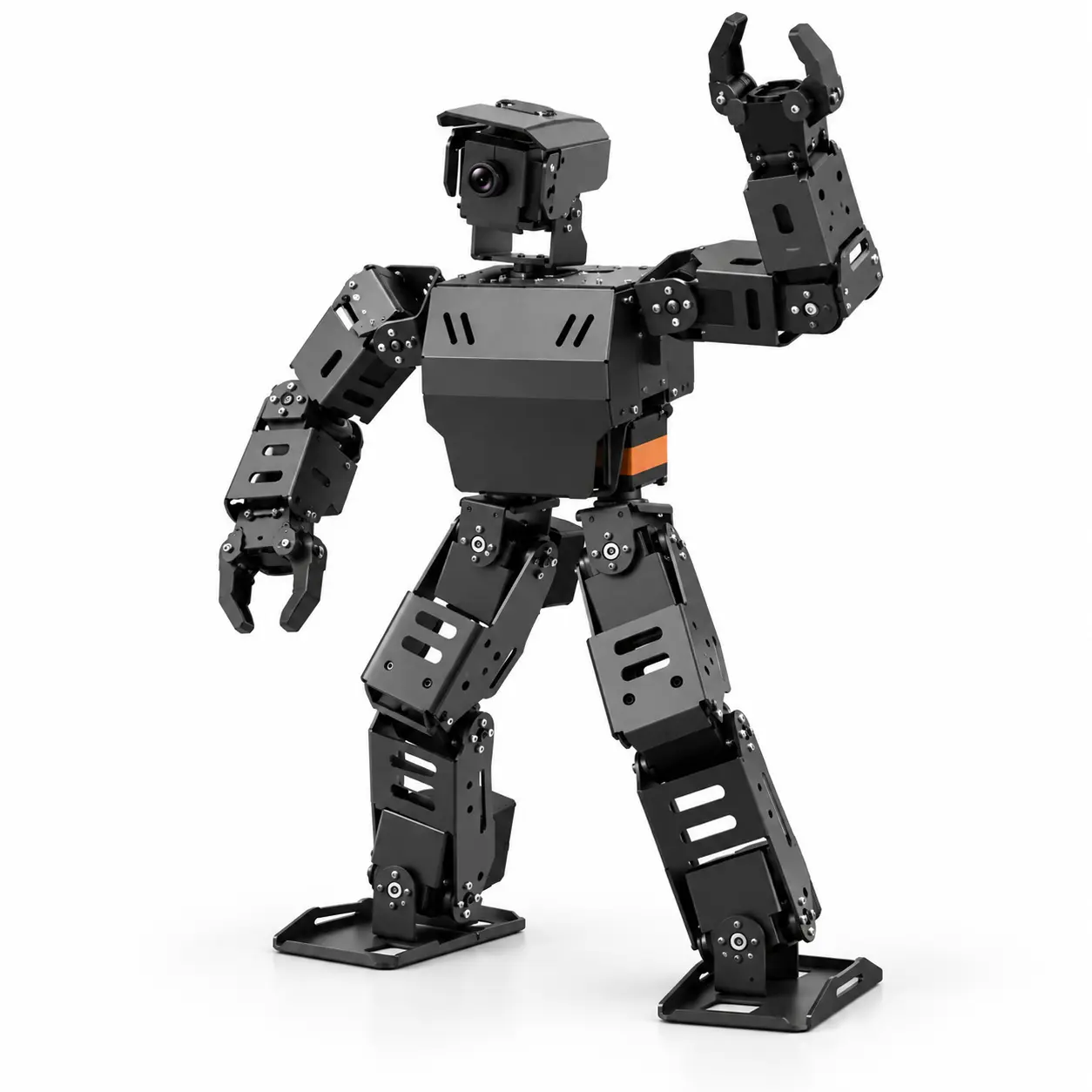
A bipedal humanoid for the class that has outgrown wheels — gait, balance and a camera, programmed from the same workspace.
Utility robots · subscription
Beyond the classroom, we are bringing utility robots to businesses on a monthly subscription — reception, delivery, inspection and cleaning — with maintenance, updates and replacement included, and the same cloud dashboard watching over every unit.
Greets, guides and answers — the front desk that never leaves the desk.
Moves trays, parcels and stock between rooms on a schedule you set.
Walks the site at night with a camera and a checklist, and reports what changed.
Floors covered on a plan, with a map of what was done and when.
Why schools switch
Nobody had to install a thing on our computers. Twenty-eight students were blinking LEDs in the first forty minutes.
The Knowledge Base is what sold it. I can teach the ultrasonic lesson without having built the circuit myself the night before.
Progress reports straight to PDF for the governors' meeting. That alone justified the subscription.
A 30-minute demo covers the academy platform end to end, and where a utility robot could earn its keep on your site.