 Hawaii Robo Labs
The platform
Five dashboards. One account. Every step of a robotics program.
From a student’s first block to a teacher’s progress report, each workspace is designed for the person using it — and they all share the same robots, the same Knowledge Base and the same login.
Arduino & ESP32 dashboard
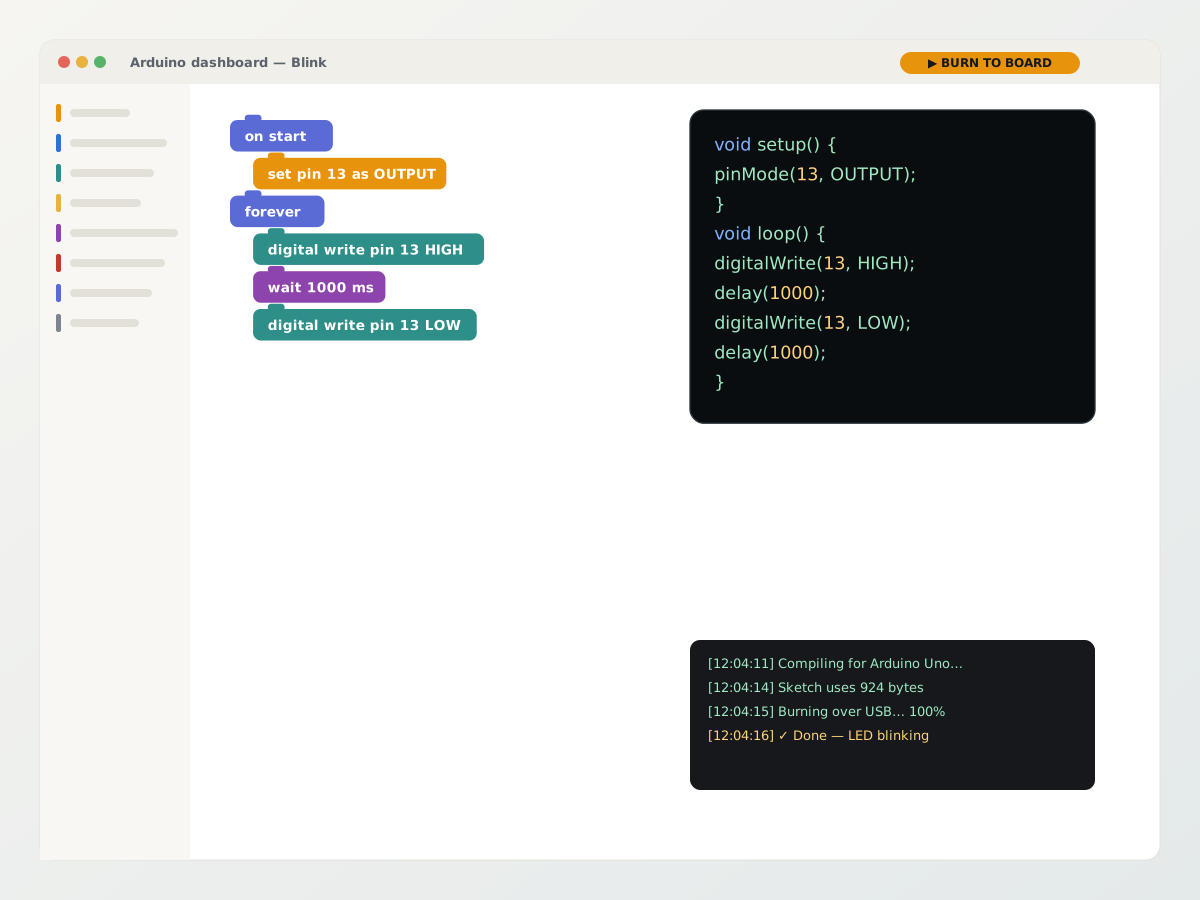
Block coding that never hides the real thing. Students can open projects such as Automatic Servo, snap distance sensors and servo controls together, and see the Arduino C++ appear beside the workspace before uploading it to the board.
- Arduino Uno, Nano and Mega; ESP32 Dev Module, ESP32-C3 and ESP32-S3
- Toolbox built for the parts in the kit: motion, sensors, timing, logic, loops, math, text, variables
- Live C++ beside the blocks, including generated setup and loop code
- Built-in serial monitor and board selector, with a warning before switching families
- 42 showcase projects sorted easy to expert, including sensor, servo and motor builds
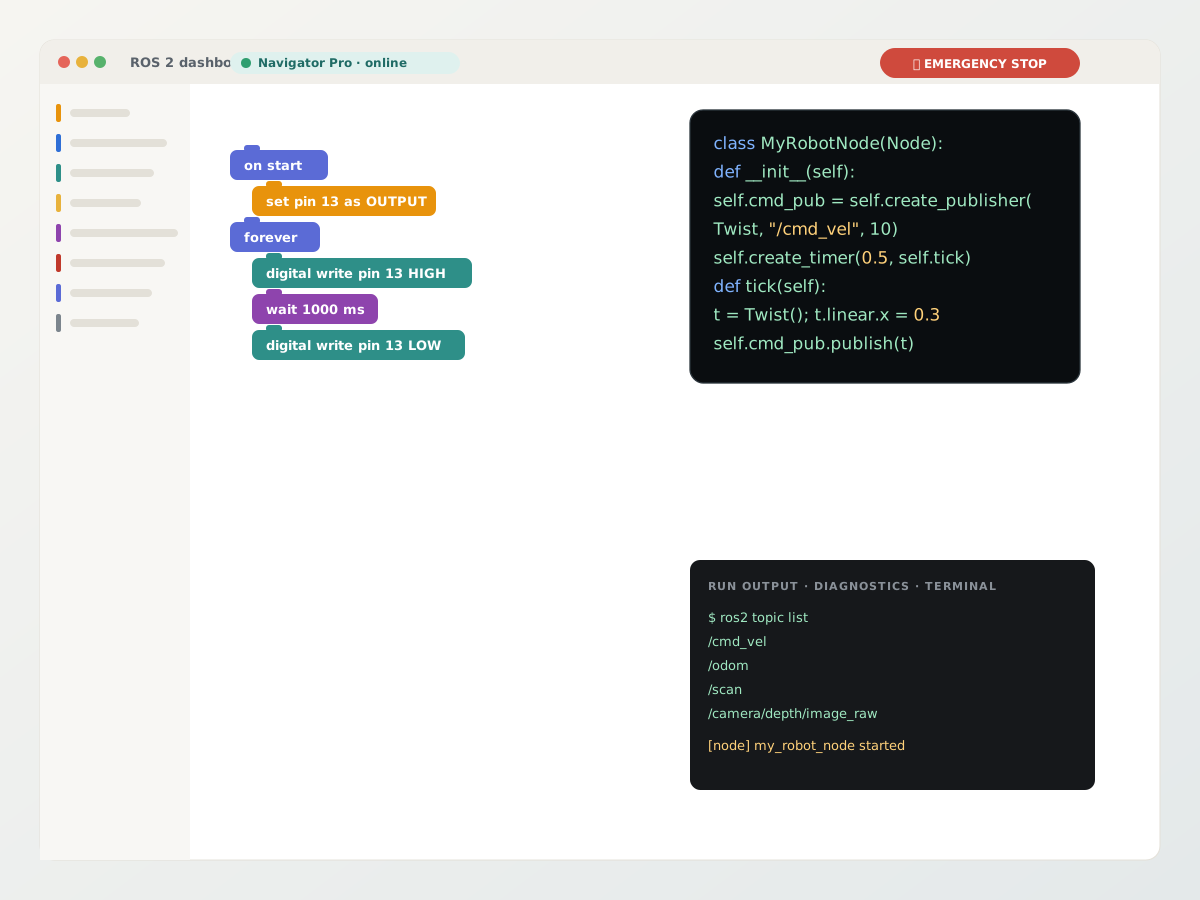
ROS 2 dashboard
The same block workspace generates real rclpy nodes — publishers, subscribers, timers, Twist motion, odometry, IMU and lidar — and runs them on a robot over a secure tunnel. Students can create a publisher on /cmd_vel, log messages, and read the generated Python beside the blocks.
- Register a robot, download its one-click installer, and it dials home on every boot
- Big red EMERGENCY STOP on every screen — kills the program, the terminal and publishes a zero velocity
- Diagnostics and run output show whether the node started and what it is publishing
- Terminal tab for staff: a real shell on the robot, recorded and audited
- Projects written for one robot family refuse to run on another, so a mecanum program never surprises a two-wheel robot
Computer Vision AI dashboard
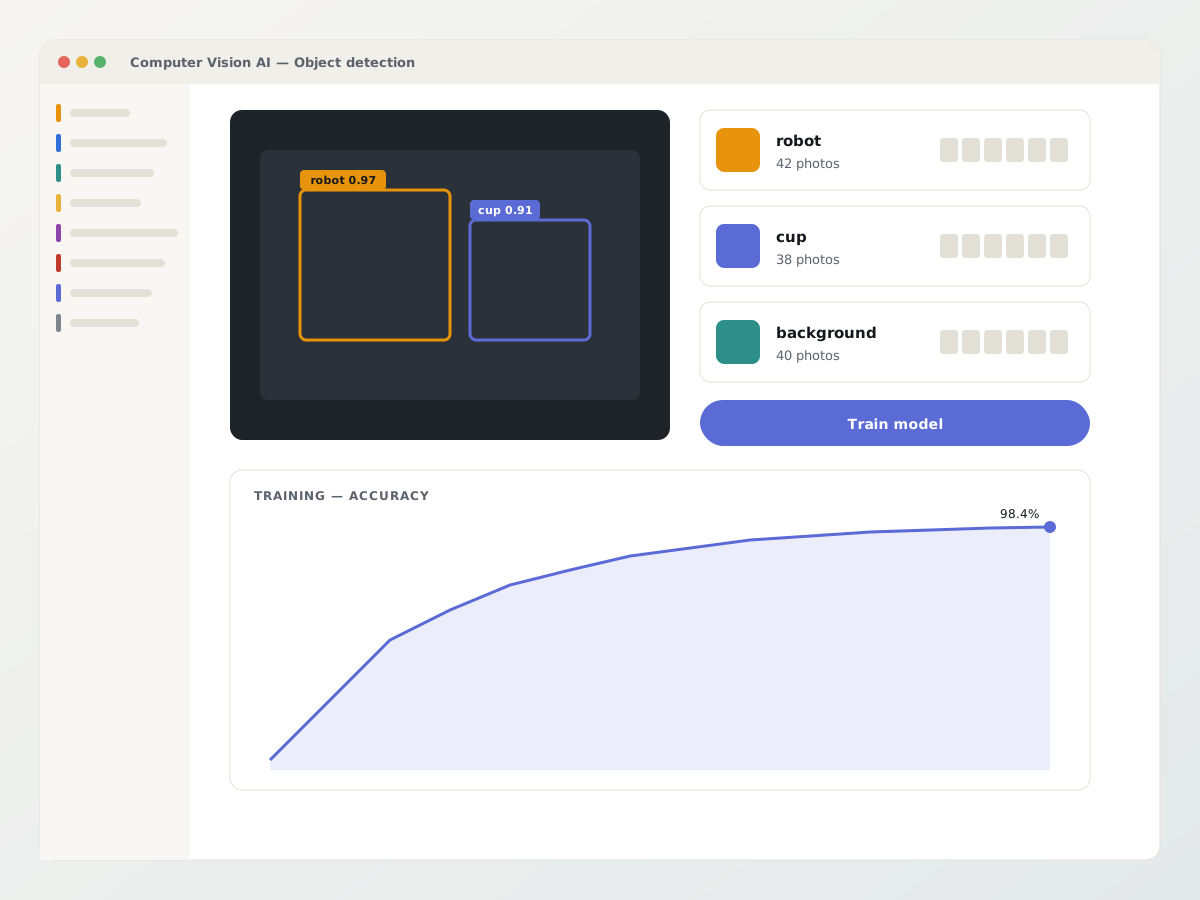
Machine learning the way students actually understand it: name a project, choose a project type, collect examples, train, test, improve. The workspace supports image, object, pose, hand, audio, number and text projects without leaving the browser.
- Image classifier and object detection from a webcam or uploaded photos
- Pose and hand-pose classifiers; audio classifier from the microphone
- Text classifier, and numbers from a CSV for the data-science lesson
- Training history charts; export the trained model to use elsewhere
- Eleven guided projects with their own Knowledge Base topic
Teacher dashboard
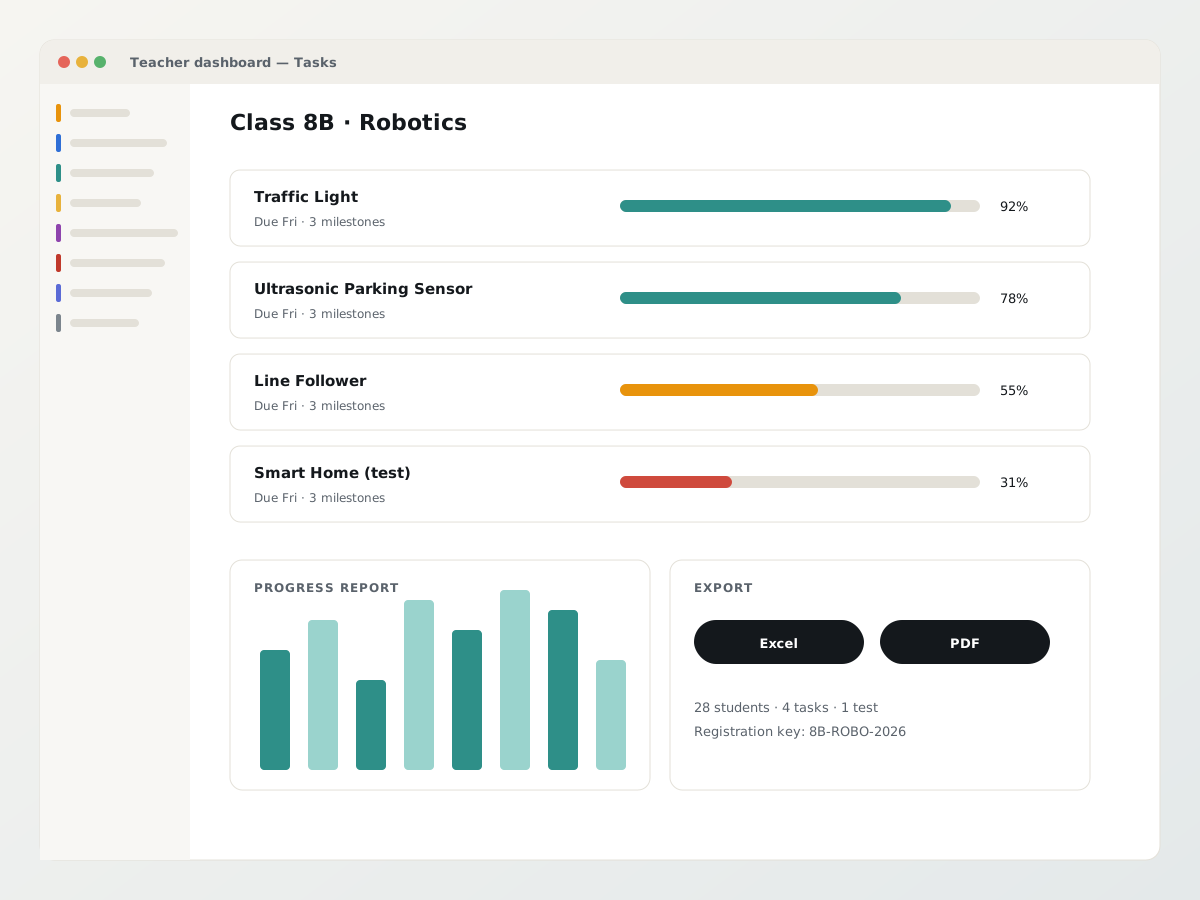
Everything between “here is the lesson” and “here is the evidence”. Set a task with a title, track, board, instructions, starter blocks, deadline and mark, then watch milestones tick over and export the report.
- Tasks and tests with milestones, due dates and per-student progress
- Groups — set work for a table, a club or a whole class
- Open any student’s project and fix it with them; they see the change
- Progress reports exported to Excel or PDF
- Registration keys, so a new class is a code on the whiteboard
Knowledge Base
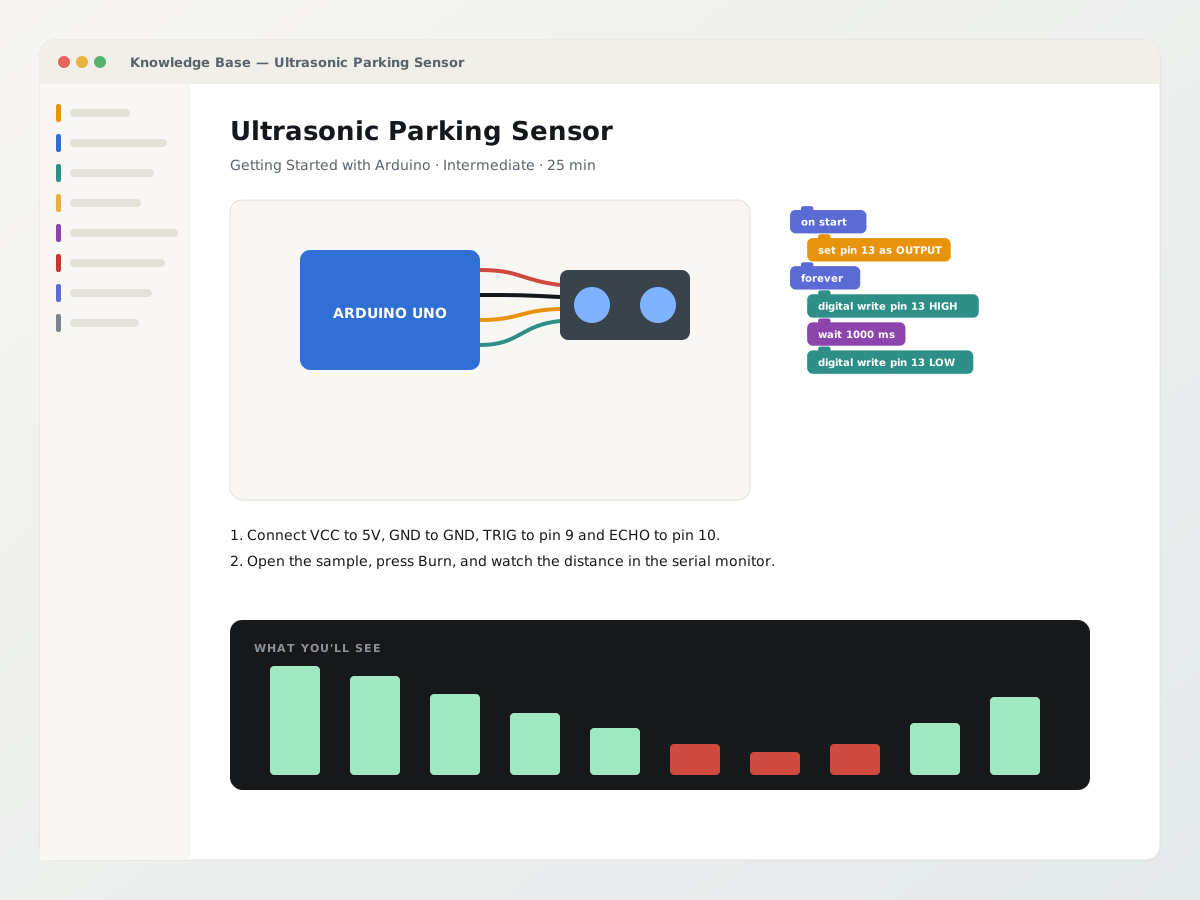
Seventy-four illustrated articles across six topics, written for the parts in front of the student. The Project Showcase opens ready-made Blockly projects with their wiring, blocks, generated code, hardware requirements and what you should see when it works.
- How to Use the Academy · Getting Started with Arduino · ESP32 Sensor DevKit Projects
- Computer Vision AI · What ROS 2 Is and How to Install It · Navigator Pro set-up and projects
- Diagrams and “what you’ll see” graphics drawn for each project, not stock photos
- Opens beside the workspace, so the blocks stay where they were
- Add your own articles for your own kits
Curriculum & learning path
The same dashboards, at every stage of the syllabus.
Each dashboard is one step in a progressive curriculum, arranged by the student’s age and skill level. Beginners start in blocks; advanced students end up writing the Python and Arduino C/C++ the blocks were generating all along.
Blocks into embedded C
- Blockly
- Arduino C/C++
- embedded projects
Blocks into Python and ROS 2
- Blockly
- Python
- ROS / ROS 2
- autonomous robotics
Built for institutions
What your school will ask, answered.
Nothing to install
Chrome or Edge. Compiling happens on our servers; flashing uses the browser’s Web Serial API. No drivers, no IDE, no board packages on school machines.
Robots dial out, not in
Each robot opens its own secure tunnel to us. No inbound ports, no firewall changes at the school, and every request is signed per robot.
Auditable
Emergency stops, staff terminal sessions and invoices are recorded. Reports export to Excel and PDF for governance.
From lesson to launch
Students move from their first block to working hardware in one guided workspace, while teachers get the evidence and support to keep the whole class moving.
See it running with your own class — or your own building.
A 30-minute demo covers the academy platform end to end, and where a utility robot could earn its keep on your site.